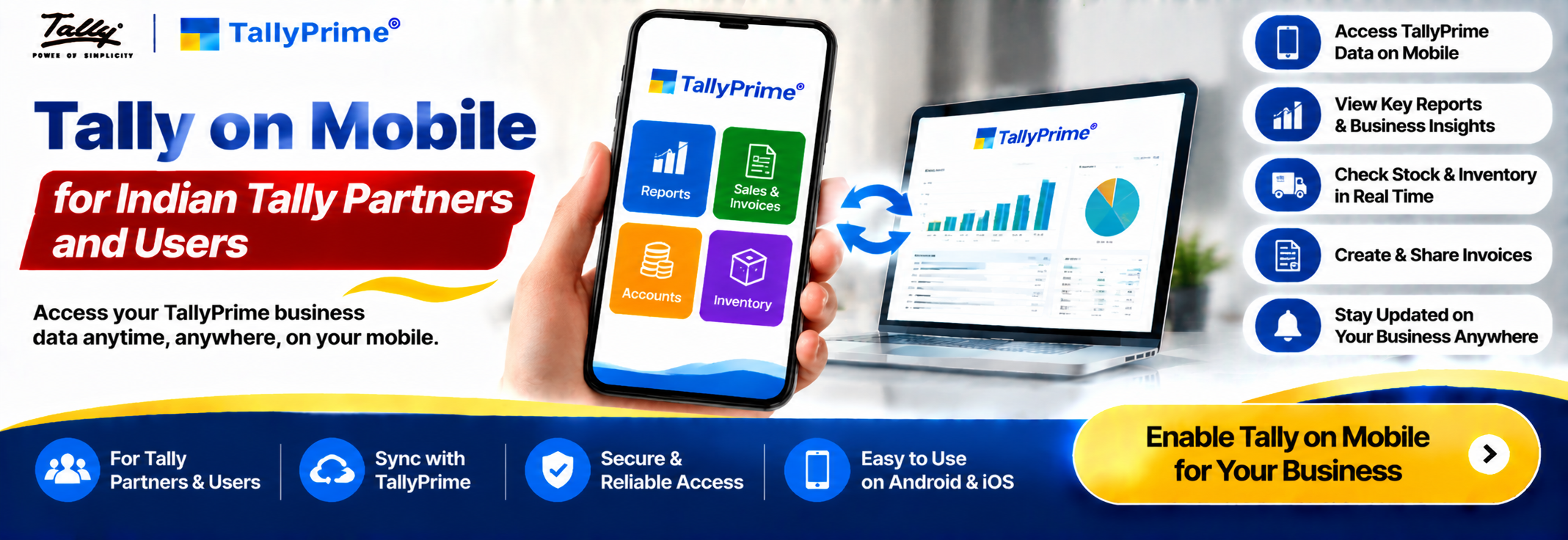
Tally on Mobile Services at the Lowest Price in India – Access TallyPrime Anytime, Anywhere
Businesses today need access to their accounting information even when owners, accountants and management teams are away from the office. Whether you are travelling, visiting a customer, managing a warehouse or operating multiple branches, checking important business information from a mobile device can make daily operations easier.
This is why Tally on Mobile services in India have become an important requirement for business owners, accountants, distributors, traders, manufacturers and service providers.
With the right mobile access arrangement, businesses can check selected accounting reports, monitor outstanding payments, review sales information and, depending on the solution, access the full TallyPrime application remotely.
At TallySolution.net, we help businesses understand TallyPrime remote access, mobile connectivity, cloud hosting, reporting options and related customisation requirements. The objective is to identify a practical and cost-effective solution based on the customer's actual business needs.
1. What Is Tally on Mobile?
Tally on Mobile generally refers to accessing information or working with a TallyPrime installation through a mobile phone or tablet.
However, it is important to understand that different services are often marketed under the same name.
There are three broad approaches:
Mobile reporting: Access selected business reports through a mobile browser or compatible reporting facility.
Mobile companion applications: Use a separate application connected to TallyPrime to view selected information or perform specific activities. Available functions depend on the application and integration.
Remote desktop access: Connect to TallyPrime running on a Windows computer or hosted Windows server and operate the software remotely from a compatible mobile device.
These options have different capabilities, technical requirements and costs. A business should select the solution according to whether it needs simple report viewing or full accounting functionality.
2. Can You Use TallyPrime Directly on Android or iPhone?
TallyPrime is designed to run on Microsoft Windows. It is not simply installed as a native Android or iOS application in the same way as an ordinary mobile app.
However, businesses can explore different ways of accessing their TallyPrime information through mobile devices.
For example:
Check selected financial and accounting reports.
Review customer and supplier outstanding balances.
Monitor sales and purchase information.
Access business information while travelling.
Connect remotely to a Windows computer running TallyPrime.
Use compatible third-party applications for selected business activities.
Coordinate with accountants and office staff remotely.
The exact functionality depends on the chosen access method, software release, licence, configuration and service provider.
Before purchasing any solution, ask the provider to demonstrate the actual functions on your own device.
3. Different Ways to Access TallyPrime on Mobile
A. TallyPrime Reports in Browser
TallyPrime provides browser-based reporting facilities through its connected services.
Depending on the supported configuration, users can view selected reports through a web browser without opening the complete desktop application on their phones.
This can be useful for:
Checking outstanding receivables.
Reviewing payable balances.
Monitoring selected financial reports.
Checking business performance.
Accessing information when away from the office.
This approach is particularly suitable for business owners who mainly need information rather than full voucher-entry functionality.
Availability depends on the TallyPrime licence, active Tally Software Services (TSS), connected company configuration and authorised user access.
B. TallyPrime Through Remote Desktop
Remote desktop access provides another way to work with TallyPrime from a mobile device.
In this arrangement, TallyPrime runs on a Windows computer or server. A compatible remote desktop application connects the mobile device to that computer.
The user interacts with the Windows environment remotely.
Depending on the configuration, this can provide access to the same TallyPrime installation, company data, reports and configured customisations.
It is important to understand that the phone is displaying and controlling a remote Windows session. TallyPrime itself is still running on Windows.
This approach may be useful when a business needs more than viewing reports.
C. Tally on Cloud with Remote Mobile Access
Cloud hosting can provide a centrally managed environment for businesses that want to access their TallyPrime installation from different locations.
A Windows-based cloud server can host the TallyPrime application and company data. Users connect through the access method supported by the hosting provider.
A cloud arrangement may be suitable for:
Business owners travelling frequently.
Companies with multiple offices.
Accountants working remotely.
Businesses with distributed teams.
Organisations that want centrally managed accounting data.
However, not every cloud product supports mobile phones or tablets. For example, TallyPrime Cloud Access has its own supported-device and access requirements. Confirm mobile compatibility with the provider before subscribing.
4. Tally on Mobile Price in India – What Does It Cost?
There is no single fixed price for every Tally on Mobile service. The total cost depends on the access method, number of users, hosting requirements, existing TallyPrime licence and additional services.
For reference, Tally Solutions' published Cloud Access pricing starts at approximately ₹600 per user per month plus GST for an entry-level plan. This is a cloud hosting price, not a replacement for the TallyPrime software licence. It should also not be assumed to mean that every Cloud Access plan supports direct mobile-device use.
Other mobile access arrangements, such as third-party companion applications or remote desktop hosting, have separate pricing structures.
Before comparing prices, identify exactly what is included:
Is the TallyPrime licence included or separate?
Is cloud hosting included?
Can the service be used on Android and iPhone?
Is it suitable for viewing reports or full application access?
How many users can connect?
Are backups included?
Is technical support included?
Are setup and data migration chargeable?
Are there additional charges for customisation?
A low advertised monthly price may cover only one part of the overall arrangement.
For this reason, businesses should compare the complete cost rather than choosing a service only because it has the lowest headline price.
5. Which Businesses Can Benefit from Tally on Mobile?
Mobile access can be useful across different industries.
Traders and wholesalers: Check customer balances, supplier dues, stock information and sales performance while visiting markets or customers.
Manufacturers: Review selected production-related accounting information, purchase expenses, sales and outstanding balances.
Distributors: Monitor customer accounts, collections and business information across different territories.
Retail businesses: Review selected sales, cash and accounting reports without being physically present at the shop.
Construction companies: Check project-related expenses, supplier balances, purchase information and selected cost-centre reports.
Service providers: Monitor customer accounts, outstanding invoices and receipts while travelling.
Chartered accountants and accounting professionals: Access relevant information remotely, subject to the client's authorisation and the technical configuration.
The most suitable arrangement depends on the size of the business, number of users and the type of work that needs to be performed remotely.
6. Important Features to Look for in a Tally Mobile Solution
Before selecting a provider, check whether the proposed solution offers the facilities your business requires.
Some useful capabilities include:
Mobile access to selected accounting reports.
Customer outstanding balance viewing.
Supplier outstanding balance viewing.
Sales and purchase information.
Ledger information.
Cash and bank balance reports.
Stock and inventory information.
Remote access to a Windows-based TallyPrime installation.
Support for authorised users.
Access from different locations.
Secure login arrangements.
Backup and recovery facilities.
Compatibility with the required TallyPrime release.
Support for existing TDL customisations, where technically compatible.
Assistance with configuration and troubleshooting.
Not every service includes all these facilities. Ask for a demonstration of the exact features included in the proposed package.
7. Tally on Mobile for Single-User and Multi-User Businesses
A single-user business may need only one authorised person to access TallyPrime remotely.
A multi-user organisation may have different requirements. For example, the owner, accountant and branch manager may need access to the same company data.
The number of simultaneous users must be considered when selecting the TallyPrime licence and hosting arrangement.
TallyPrime Silver is intended for single-PC use, while TallyPrime Gold supports multiple users on a local network. Remote and cloud configurations require additional consideration of the applicable licence and hosting arrangements.
A business should not assume that purchasing a mobile access service automatically provides additional TallyPrime user licences.
8. Security Considerations When Using TallyPrime Remotely
Accounting data contains confidential information about customers, suppliers, employees, transactions and business finances.
Remote access should therefore be configured carefully.
Important security practices include:
Use strong and unique passwords.
Provide access only to authorised users.
Avoid sharing login credentials.
Enable additional authentication wherever supported.
Use secure remote access methods.
Maintain regular company-data backups.
Review user permissions periodically.
Remove access when an employee or service provider no longer requires it.
Keep the operating system and relevant applications updated.
Establish a recovery process for unexpected technical failures.
Businesses should also understand where their data is hosted, who can administer the server and how backups are retained.
A low-cost service is not a good choice if it compromises the confidentiality or availability of business information.
9. Tally on Mobile with TDL Customisation and Integration
Many businesses use customised TallyPrime environments rather than the standard software alone.
They may have special invoice formats, additional reports, custom voucher fields, approval workflows, automated calculations or integration with other applications.
If remote access is required, the provider should check whether these existing customisations are compatible with the proposed environment.
For example, a business may need:
Existing TDL customisations to continue working.
Custom invoice printing.
Additional management reports.
Special voucher-entry formats.
Data exchange with external applications.
Selected sales or inventory information through a companion application.
The availability of these functions depends on the TDL code, TallyPrime release, remote environment and integration method.
A technical assessment before migration can help avoid unexpected problems.
10. How to Select an Affordable Tally on Mobile Service
If your objective is to find the lowest-cost suitable solution in India, start by identifying what you actually need.
For viewing reports: Explore the browser-reporting facilities available with your TallyPrime configuration.
For selected mobile activities: Compare compatible companion applications and check which functions they support.
For remote use of the full application: Explore a suitable Windows-based remote desktop or hosting arrangement.
For multiple employees: Check concurrent-user requirements, the TallyPrime licence and server capacity.
For customised accounting: Confirm compatibility with your existing TDLs and integrations.
Do not purchase a service based only on an advertisement saying that it offers complete TallyPrime on mobile. Request a live demonstration and written details of the included facilities.
11. Tally on Mobile Services from TallySolution.net
TallySolution.net provides information and assistance for businesses exploring TallyPrime, remote access, cloud-based working and customisation requirements.
Depending on the requirement and service availability, assistance can include:
Understanding mobile access requirements.
Evaluating remote access options.
Planning TallyPrime cloud hosting requirements.
Reviewing single-user and multi-user arrangements.
Assessing existing TDL customisations.
Discussing report-access requirements.
Exploring selected third-party integrations.
Assisting with technical configuration.
Providing guidance on data backup and access security.
Discussing ongoing support requirements.
Every business has different technical and operational needs. The appropriate service and commercial proposal should therefore be confirmed after understanding the number of users, existing licence, data size, required features and preferred devices.
TallySolution.net is an independent Tally services and solutions provider. TallyPrime software and its official services are products of Tally Solutions Pvt. Ltd.
12. Frequently Asked Questions About Tally on Mobile
Q1. Can I use TallyPrime on my Android mobile?
TallyPrime is designed for Windows rather than as a native Android application. You may access selected reports through supported browser facilities or connect to a Windows installation through a compatible remote desktop arrangement.
Q2. Can I use TallyPrime on an iPhone?
You can explore supported browser-based reporting or compatible remote desktop access. Full application access depends on the remote environment and device compatibility.
Q3. Is there a free TallyPrime mobile app?
Do not assume that an application advertised as a TallyPrime mobile app is an official full version of TallyPrime. Check the publisher, supported features and official app-store listing before installing anything.
Q4. What is the starting price of TallyPrime Cloud Access?
Tally Solutions' published entry-level Cloud Access pricing starts at approximately ₹600 per user per month plus GST. The TallyPrime software licence is separate. Check the current plan and supported devices before purchasing.
Q5. Does TallyPrime Cloud Access automatically work on mobile phones?
Not necessarily. Cloud Access has specific device and client requirements. Confirm mobile and tablet compatibility with Tally Solutions or the provider before purchasing.
Q6. Can I check customer outstanding balances on my mobile?
Selected reports may be accessible through supported browser-reporting facilities or compatible third-party applications, depending on the configuration.
Q7. Can I enter vouchers using mobile access?
This depends on the access method. Some companion applications support selected data-entry activities, while a remote desktop session may provide access to the full Windows application. Check the actual functionality before subscribing.
Q8. Can multiple users access Tally remotely?
Yes, subject to the TallyPrime licence, hosting capacity, user configuration and the access solution being used.
Q9. Will my existing TDL customisations work remotely?
They may work if the remote environment supports the relevant TallyPrime release and technical requirements. Existing TDLs should be checked before migration.
Q10. How can I get the lowest-cost Tally on Mobile solution in India?
First decide whether you need report viewing, selected mobile functions or full remote access to TallyPrime. Then compare the complete cost, including the licence, hosting, users, setup and support.
Conclusion: Choose the Right Tally on Mobile Solution for Your Business
Tally on Mobile can help business owners and accounting teams remain connected with important financial information when they are away from their offices.
However, mobile reporting, companion applications, remote desktop access and cloud hosting are different solutions. Choosing the right one requires understanding their capabilities, device compatibility, licensing requirements and total cost.
If you are looking for an affordable Tally on Mobile service in India, compare the available options carefully and request a demonstration before making a decision.
Visit TallySolution.net to explore TallyPrime services, customisation, remote access and cloud-related solutions for your business.